
Table of Contents
- Why ChatGPT Changes How You Design Classroom Assessments
- ChatGPT Prompt Engineering for Teachers: Getting Started
- Structuring Prompts for Assessment Generation
- Testing and Refining Your Prompts
- Creating AI-Generated Assessment Rubrics That Actually Work
- Standardizing Rubric Criteria Across Subjects
- Formative Assessment Strategies With AI Integration
- Building Feedback Loops Into Your Assessments
- Designing AI-Resistant Assessments: Maintaining Academic Integrity
- Task Redesign for Authentic Student Work
- Monitoring and Review Workflows
- Accessibility, Inclusivity, and Data Privacy in AI Assessment
- Common Mistakes When Using ChatGPT for Assessment Design
- Getting Started: A Practical Workflow for Your School
*Last Updated: August 20, 2026*
Why ChatGPT Changes How You Design Classroom Assessments
Using ChatGPT for classroom assessment design fundamentally shifts how teachers approach evaluation. Instead of spending hours creating rubrics and writing assessment prompts, teachers can generate structured assessment frameworks in minutes. The real change isn't speed, it's control. When you use ChatGPT strategically, you're amplifying your judgment, not replacing it.
ChatGPT collapses the traditional timeline: you can generate multiple assessment variations, test rubric criteria for clarity, and build feedback loops before students see the assignment. The challenge is doing this thoughtfully, maintaining academic integrity, ensuring assessments measure what you intend, and avoiding new problems while solving old ones. Classroom Writer helps schools implement this by providing a structured workspace where teachers can design, test, and deliver AI-assisted assessments while maintaining full control over content and student work.
ChatGPT Prompt Engineering for Teachers: Getting Started
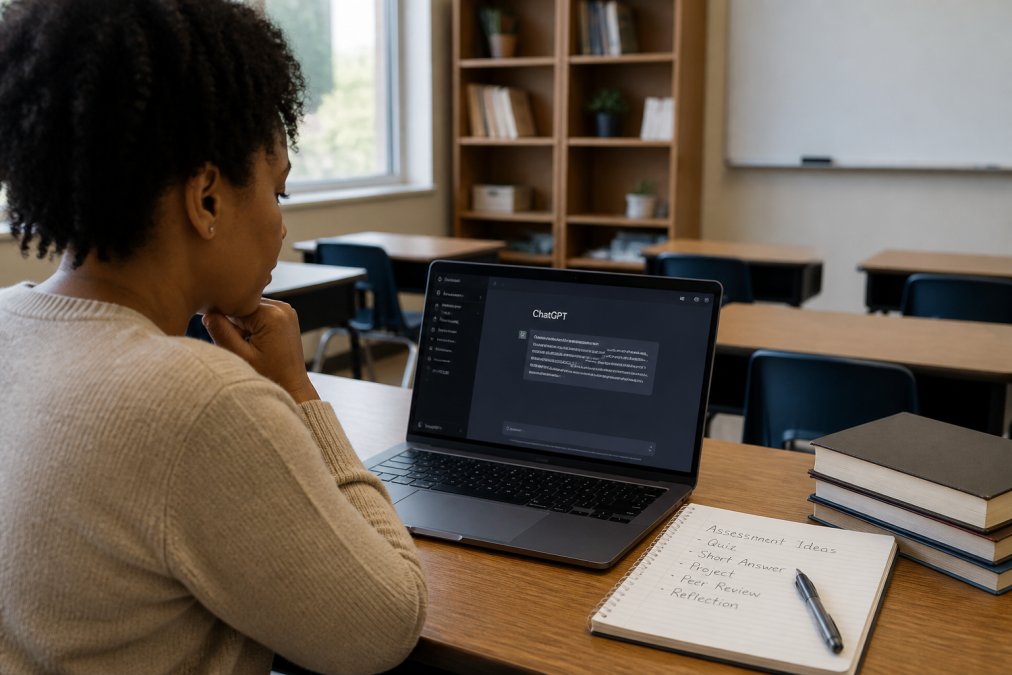
Prompt engineering for teachers is the skill of asking ChatGPT the right questions to get usable assessment outputs. Assessment prompt engineering requires specificity: define the grade level, subject, learning outcomes, and assessment type before requesting anything.
Start with context. Instead of "create an assessment rubric," tell ChatGPT: "Create a rubric for 9th-grade English assessing argumentative essays. Students should demonstrate thesis clarity, evidence quality, and counterargument acknowledgment. Use a 4-point scale." Specificity produces usable output.
The first principle is clarity about constraints. Include grade level, subject, relevant learning standards, and the format you need (rubric, prompt, scoring guide, feedback template). Most teachers initially ask vague questions and spend time editing unusable outputs.
Structuring Prompts for Assessment Generation
Structure prompts using: context, task, constraints, output format.
Context: "I teach 7th-grade science. My unit covers photosynthesis and cellular respiration."
Task: "I need a formative assessment checking whether students understand the difference between these processes and can apply that understanding to a real-world scenario."
Constraints: "The assessment should take 15 minutes, work for mixed-ability learners, and require written response, not multiple choice."
Output format: "Provide the assessment prompt first, then a rubric with 3 levels of performance."
ChatGPT will generate something immediately usable. You're getting a structured starting point to refine in seconds rather than building from blank paper.
Generate one assessment, evaluate it, refine your prompt based on what you learned, then generate the next. This iterative approach teaches you what works for your specific context. After three or four iterations, you'll have a mental model of what prompts produce usable assessments.
Testing and Refining Your Prompts
After ChatGPT generates an assessment, test it against your actual learning outcomes. Read the prompt aloud. Does it clearly communicate what students need to do? Does it accidentally cue the answer? Does it require the thinking skill you're measuring, or just recall?
Refine by telling ChatGPT what didn't work. Say: "This rubric is too vague in the 'Developing' column. Make the performance descriptors more specific." Or: "This prompt leads students toward the answer. Rewrite it so students must think about the relationship without hints."
Keep a document of prompts that worked. Note what made them effective. Over time, you'll develop templates reusable across units, accelerating assessment design.
Creating AI-Generated Assessment Rubrics That Actually Work
An AI-generated rubric is only useful if it measures what you want to measure. Start by defining what success looks like. If your learning outcome is "students can analyze primary sources," your rubric should measure analysis, not just comprehension or summary.
Generate the rubric, then test it against student work from previous years. Does it distinguish between strong and weak performance? If a rubric doesn't clearly separate levels, it's not useful, even if it looks professional.
Standardizing Rubric Criteria Across Subjects
When multiple teachers create rubrics independently, you end up with inconsistent standards. Standardization starts with a shared rubric template. Define your school's performance levels (Emerging, Developing, Proficient, Advanced), then use those consistently across all ChatGPT prompts.
Create a rubric library. After your first few ChatGPT-generated rubrics, store the ones that work well. When you need a new rubric, adapt an existing one rather than generating from scratch. This maintains consistency while saving time.
Document your rubric criteria in plain language. If your rubric says "demonstrates critical thinking," define what that means in your school. ChatGPT can then reference that definition when generating new rubrics, ensuring alignment across grades and subjects.
Formative Assessment Strategies With AI Integration
Formative assessment, checking understanding during learning, becomes more efficient with ChatGPT. Instead of writing exit tickets manually, generate them. Instead of creating daily check-in questions, ask ChatGPT to generate a set based on today's lesson.
Use formative assessments to actually respond to what students don't understand. Generate a quick assessment, identify gaps, then use ChatGPT to generate targeted follow-up activities for struggling students. This creates a feedback loop responding to real student needs.
Be clear about what you're checking. Don't ask ChatGPT for "questions about photosynthesis." Ask for "five questions that check whether students understand why plants need light but not carbon dioxide, I want to see if they're confusing photosynthesis with respiration."
Building Feedback Loops Into Your Assessments
A feedback loop connects what you assess, what you learn, and how you respond instructionally. Generate an assessment, then ask ChatGPT to "Identify three common misconceptions students might show on this assessment. For each misconception, provide a brief re-teaching activity."
Now you have a complete system: the formative assessment identifies which students have which misconceptions, and you have ready-to-use activities to address them. Document what you learn from each assessment cycle. If certain misconceptions keep appearing, generate more targeted assessments for those specific gaps.
Designing AI-Resistant Assessments: Maintaining Academic Integrity

If you use ChatGPT to generate assessment prompts, students can also use ChatGPT to complete them. The answer is task redesign. Some assessment types are inherently AI-resistant because they require in-the-moment thinking that students can't pre-generate.
Task Redesign for Authentic Student Work
Redesign assessments to require live thinking. Instead of "Write an essay analyzing this primary source," try "Read this primary source. Write three questions it raises for you. Pick one question and explore what you'd need to research to answer it." The second version requires real-time thinking.
Add process requirements. Ask students to show their work and explain why they chose their approach. The explanation of reasoning is harder to fake than the final answer.
Use in-class assessments for high-stakes work. If a major assessment happens in class with specific time constraints and no external tool access, the work is authentically the student's. Build in revision and reflection. Ask students to revise based on feedback, then reflect on what they changed and why. This creates a visible thinking trail difficult to fake.
Monitoring and Review Workflows
Establish a review workflow for submitted student work. The workflow looks like this: Student submits work → Teacher reviews for authenticity markers → Teacher assesses against rubric → Teacher provides feedback.
Look for patterns suggesting AI generation: sudden shifts in writing quality, unusually sophisticated vocabulary for the student's typical work, perfectly structured arguments lacking the messiness of authentic thinking. Don't rely on AI detection tools alone, they're unreliable. Instead, combine multiple signals: Does this match the student's previous work? Can they explain their thinking when asked? Does the work show evidence of authentic struggle?
Document your review process. If you flag work as potentially AI-generated, note specifically what raised the flag. Over time, you'll develop a sense of what authentic work from your students looks like.
Accessibility, Inclusivity, and Data Privacy in AI Assessment
Review every ChatGPT-generated assessment for accessibility before using it. Does the prompt assume specific background knowledge? Does the language level match your students? Could a student with a visual processing difference understand this? If you spot accessibility issues, prompt ChatGPT to revise.
Inclusivity means considering whose perspectives are represented. If your assessment only analyzes texts from one demographic group, you're narrowing what counts as valid knowledge. Ask ChatGPT to generate assessments including diverse perspectives.
Data privacy is critical. Never input student names, identifying information, or actual student work into ChatGPT. Use generic examples. Keep student data within your school's systems, not in external AI tools.
Common Mistakes When Using ChatGPT for Assessment Design
Don't use ChatGPT to generate assessments without evaluating whether they measure your learning outcomes. Spend time assessing alignment to what you're measuring.
Don't generate assessments without considering academic integrity. Think through whether students can complete it authentically or if ChatGPT will do most of the work.
Don't generate independent rubrics without standardizing across classrooms. You'll lose the ability to measure consistent learning outcomes across grades.
Don't generate assessments without using the data they produce. If formative assessment shows half your class doesn't understand a concept, respond instructionally.
Don't over-rely on ChatGPT without developing your own assessment literacy. Use it to speed up your process while maintaining your judgment about what makes assessments effective.
Getting Started: A Practical Workflow for Your School
Start small. Pick one unit, one grade level, or one subject. Generate assessments for that unit, evaluate what worked, refine your approach, then expand.
Create a school-wide assessment design template. Define your performance levels, rubric format, and expectations for assessment prompts. When every teacher uses the same template, you build consistency across grades and subjects.
Train teachers on prompt engineering through a one-hour session where they practice writing specific prompts, generate assessments, and evaluate outputs. Teachers learn by doing.
Build a library of assessments that worked. Store good assessments in a shared space. When teachers need an assessment for a topic, they can adapt an existing one rather than generating from scratch.
Establish a review process for AI-generated assessments before use. Have department heads or assessment coordinators review for alignment, clarity, and academic integrity implications.
Document your assessment design decisions. When you generate an assessment, note why you chose that task, what learning outcome it measures, and what you learned from using it. This documentation becomes institutional knowledge.
The goal is freeing up teacher time so you can focus on judgment that matters: interpreting assessment data, understanding student thinking, and responding instructionally. ChatGPT can generate the assessment framework quickly. Your expertise lies in knowing whether that framework measures what your students need to learn.
---
Academic integrity and structured assessment design are non-negotiable in schools. When you use ChatGPT thoughtfully, you're not compromising either, you're building better assessments faster. Classroom Writer makes this possible by providing a platform where teachers can design AI-assisted assessments while maintaining full control over content, student work, and academic integrity workflows. The platform's focused assessment spaces and integration with AI tools like ChatGPT create a structured environment where teachers can confidently implement these strategies at scale.
Frequently Asked Questions
How can teachers use ChatGPT to create formative assessments?
Use ChatGPT to generate question banks, exit tickets, and quick checks aligned to specific learning outcomes. Prompt it with your learning objective, grade level, and subject, then ask it to create 5-10 formative questions. Review and edit the output to match your curriculum, then use the questions in quizzes, discussions, or written reflections. Formative assessment strategies with AI work best when you build in feedback loops, have ChatGPT generate model answers alongside the questions so you can compare student responses and provide targeted feedback quickly.
What are the risks of using AI for classroom assessment design?
The main risks include over-reliance on AI-generated content without verification, potential bias in rubrics, and students submitting AI-generated work as their own. ChatGPT can produce plausible-sounding but inaccurate content, especially in specialized subjects. It may also generate assessments that lack cognitive rigor or don't align with your specific curriculum standards. Mitigate these risks by always reviewing and customizing AI output, designing AI-resistant assessments that require student thinking and explanation, and using monitoring tools to detect when students use AI inappropriately.
How does ChatGPT help in creating AI-generated assessment rubrics?
Prompt ChatGPT with your assignment description, learning objectives, and grade level, and it will generate a detailed rubric with performance levels and criteria. You can ask it to create rubrics for specific skills like critical thinking, collaboration, or writing quality. The advantage is speed and consistency, you can generate standardized rubrics across multiple classes or departments. However, always review the rubric for alignment with your standards, adjust point values or criteria to match your grading philosophy, and test it on a few student samples before using it at scale.
How do I maintain academic integrity when using ChatGPT in assessment design?
Design assessments that require higher-order thinking, student explanation, and originality rather than simple recall. Include in-class components, oral defenses, process portfolios, and tasks requiring real-world application. Use ChatGPT to design the assessment structure and rubrics, but make the actual student work difficult to automate. Set clear expectations with students about when and how AI tools can be used, monitor submissions for signs of AI generation, and use a structured review process with rubrics to evaluate authenticity. Classroom Writer's platform supports this by providing a controlled space where you can set assessment parameters and track student work transparently.